Kakobuy shows one price. You pay another.
GRAILS Companion puts the total you actually pay, the QC photos and the seller's record onto the listing you are already reading.
Add to ChromeGCarl Yishan checks out, and there are 12 QC pics to look at.
The same hoodie, before and after the shipping Kakobuy works out only once you have paid for the item.
The checks you were doing by hand
Worked out from the listing and the GRAILS catalogue. None of it is guessed by an AI.
The price you actually pay
Item plus shipping to your country, in your own currency, from the real parcel weight. Kakobuy quotes shipping after you have paid for the item, so this is the number it never puts in front of you.
QC photos, on the listing
The batches real buyers received, on the page you are already reading. No second tab, no pasting the link into a QC finder to see whether this one comes out right.
Seller trust
If the seller is in the GRAILS set you get a score and the reasons behind it. If they are not, it says so plainly instead of inventing a rating.
Every agent, one click
The same item on the other agents, so you can compare the shipping before you commit to one.
Weigh the whole haul
One tap turns your cart, or a pasted haul, into a single parcel with a single price. Each item is weighed from its own QC batch where there is one.
On the seller's Yupoo too
Open any album on a seller's Yupoo and one card goes under the header: the catalogue price, how many QC photos exist, whether the seller is vetted, what people on the GRAILS Discord rated them, and a buy button. Album grids get a small price badge on every album the catalogue knows, so you can read prices without opening each one. Sellers GRAILS has never heard of get nothing added.
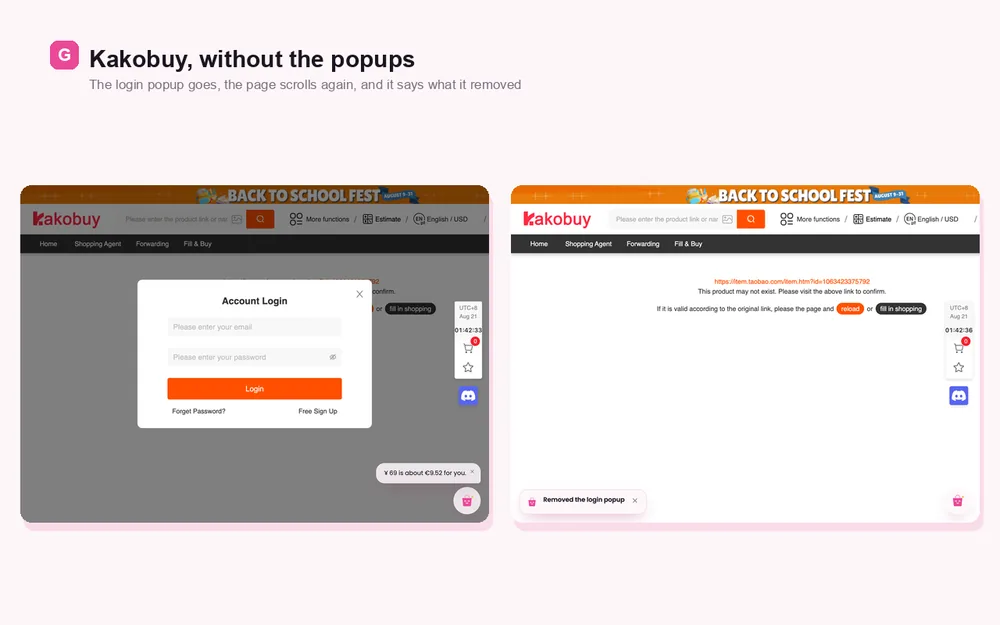
A quieter Kakobuy
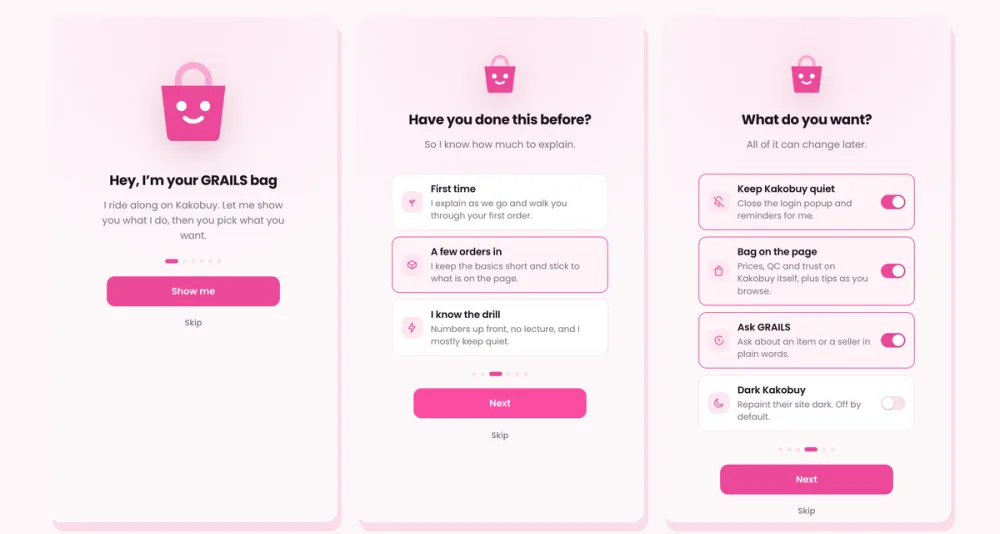
The popups closed for you, and an optional dark theme for their whole site.
Three steps, no account
One click from the Chrome Web Store. Nothing to sign up for.
Your own links, or one from someone's haul. It does not have to be in our catalogue.
Price, shipping, QC photos and seller trust are on the page when it loads.
How it is paid for
The extension is free. It applies the GRAILS referral code on Kakobuy, and GRAILS earns a commission on orders you place while it is on. Your price is exactly the same.
It replaces a referral code already set, including one from a link you clicked earlier. The code goes into Kakobuy's own referral cookie. The links you click are never changed, and nothing is added to the address bar. You can switch this off in the extension options and everything else keeps working.
Questions
Is it really free?
Yes. There is nothing to pay and no account to make. It is funded by the Kakobuy referral commission described above, which costs you nothing.
Which browsers work?
Chrome, and the Chromium browsers that install from the Chrome Web Store: Edge, Brave, Opera and Vivaldi. There is no Safari or Firefox build.
Does it work on other agents?
The on-page numbers are built for Kakobuy, and the seller card also works on sellers' Yupoo albums. For other agents you get one-click links to the same item, so you can compare before you buy.
What leaves my browser?
The item link, so the catalogue can be asked about that item. What it remembers about your browsing stays on your machine, and one button in settings forgets all of it.
What if the seller is not in GRAILS?
It says so. You still get the price with shipping, the QC photos and the agent links. A seller GRAILS has never ordered from does not get a made-up score.
Put it on your next order
It starts working on the first Kakobuy link you open.
Add to Chrome